The LinkedIn scheduler that plans, writes and posts for every client.
SocialScheduler plans each client's LinkedIn week, writes the posts with the hook in line one and designs PDF document carousels. You or the client approve, and it publishes to personal profiles and company Pages when their audience is online.
A LinkedIn scheduler publishes posts at a time you choose, without anyone opening LinkedIn. SocialScheduler is a LinkedIn scheduler for agencies: its AI plans each client's week, writes posts of up to 3,000 characters, designs PDF document carousels, and publishes to personal profiles and company Pages through LinkedIn's official API once you or the client approve.
Free for one client. No credit card.
LinkedIn scheduling at a glance
- Post length
- 3,000 characters; about 210 show before "see more" on desktop, about 140 on mobile
- Document posts
- PDF, PPT(X) or DOC(X), up to 300 pages and 100 MB (LinkedIn Help and Documents API)
- Top format
- Document posts: 7.00% average engagement, ahead of multi-image (6.45%) and video (6.00%) (Socialinsider 2026)
- Accounts
- Personal profiles and company Pages, through the official API
- LinkedIn's own scheduler
- 10 minutes to 3 months ahead, one post at a time; no events, jobs or services
- Best days
- Tuesday to Thursday, late morning to afternoon; weekends are weakest (Sprout Social, March 2026)
- Hashtags
- Optional since LinkedIn dropped hashtag following in 2024; 3 or fewer, at the end
- Free plan
- 1 client, 3 accounts, 20 AI credits a month
Every LinkedIn format your clients use.
Planned on Sunday with the rest of the week. Written in the client's voice. Designed in their brand.
Text posts
Up to 3,000 characters. The hook sits in line one, before "see more".
Image posts
A photo from the client's library or an image the AI designs.
Document carousels
PDF slides the AI designs in the client's brand, posted as a document.
Profiles and Pages
A founder's profile and the company Page, each with its own posts from one plan.
How the AI writes for LinkedIn.
The limits and habits of the network are built in. Every post is checked against them before it is scheduled.
- Up to 3,000 characters
- Hook in line one
- No hashtags mid-text
- Carousels posted as PDF documents
- Posted when the audience is online
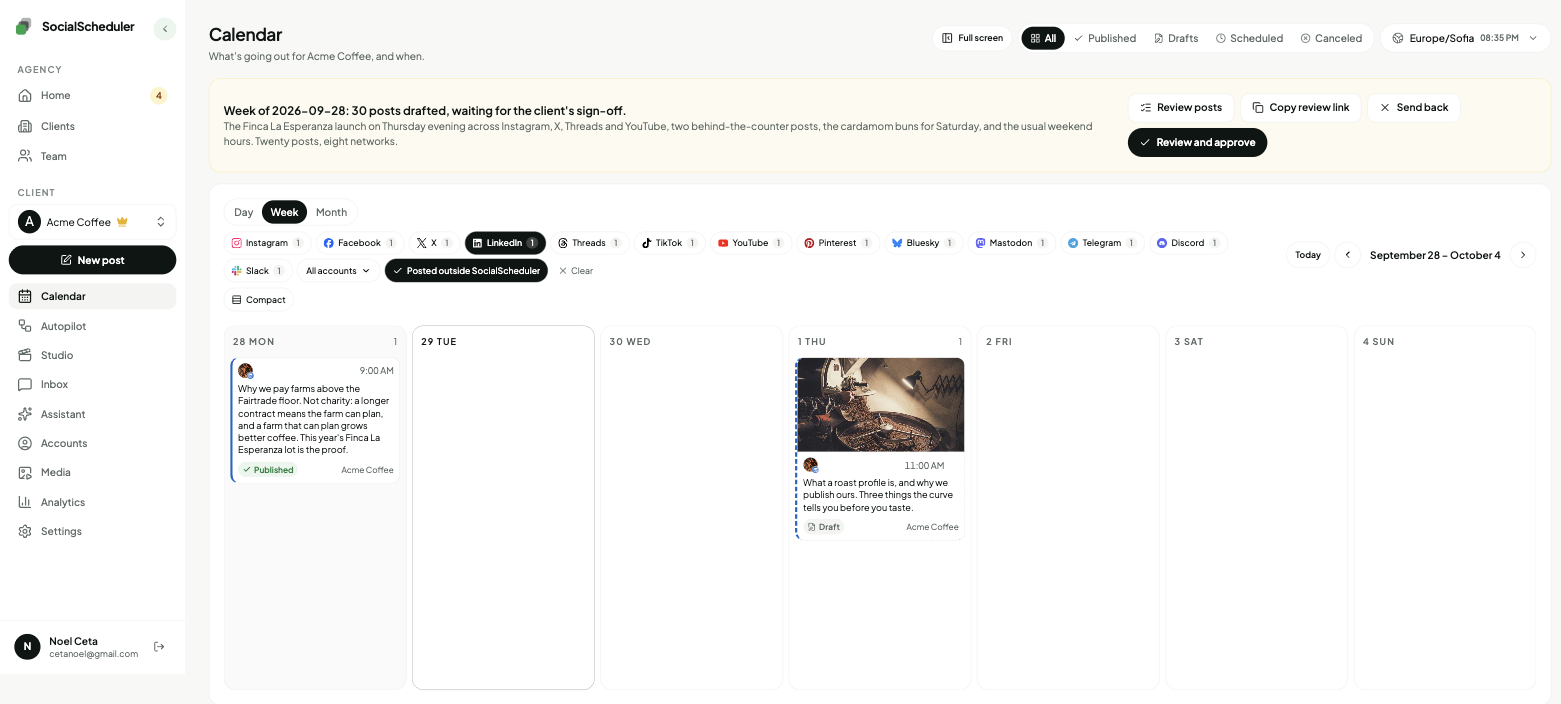
Planned Sunday. Waiting for approval.
- Tue10:00TextWe pay farms above the Fairtrade floor. Here is the math.
- Wed11:00DocumentHow a small roaster ships in 72 hours: 8 slides.
- Thu13:00ImageAna has been our head barista since 2019.
You choose who says yes.
Per client. Change it any time. Your team can pull any LinkedIn post until it goes out.
Agency reviews
DefaultYour team approves the week in the app. Nothing goes out before.
Client signs off
Most usedThe client gets an email link. They approve or comment. No login.
Review link · no login needed
Dana (Acme) · approved Mon 10:12
Full autopilot
For trusted clientsNo approval step. It plans and posts. Everyone gets a Monday report.
Client report every Monday, 9:00
Pause any time, pull any post
Personal profiles and company Pages: what an agency can schedule
LinkedIn's official API treats the two differently. A personal profile can only be posted to by an app the person authorized themselves, so the founder or executive connects their own LinkedIn account once. A company Page can be posted to by anyone who holds an admin role on it, such as super admin or content admin, so an agency team member with that role can connect the Page.
After that, both get the same formats: text posts, image posts and PDF document carousels. SocialScheduler writes each account's posts separately from the same weekly plan, so the founder's profile sounds like a person and the Page sounds like the company. It does not read or answer LinkedIn messages or comments; there is no LinkedIn inbox.
Document carousels have the highest engagement
A document post is a PDF that LinkedIn shows as a swipeable carousel. Socialinsider's 2026 benchmarks, based on 1.3 million posts from 16,645 company Pages, put documents first at a 7.00% average engagement rate, ahead of multi-image posts (6.45%) and video (6.00%).
LinkedIn accepts documents up to 300 pages and 100 MB, but the useful length is far shorter. Most carousels that get read run 8 to 12 slides: one idea per slide, a clear cover, a last slide that says what to do next. SocialScheduler designs the slides in the client's colors and fonts, exports the PDF and posts it with a short caption whose first line carries the hook.
The agency workflow, week by week
Each client has a brief: voice, offers, topics to avoid, links. On Sunday the AI plans the week across every network the client uses and writes each LinkedIn post in that voice. It learns from how past posts did and from top posts in the client's niche, without copying them.
Then someone says yes. Your team approves in the app, or the client opens an email link and approves, comments or asks for a change without a login. Clients you trust can run on autopilot.
- Sunday: the week is planned and drafted
- Review: your team or the client approves from a link
- During the week: posts go out at each audience's best hours
- Monday: a report under your agency's name
The best time to post on LinkedIn
LinkedIn is a workday network. Sprout Social's March 2026 report, from nearly 2 billion engagements across 307,000 profiles, finds the longest peaks on Tuesday, Wednesday and Thursday from about 11 a.m. to the afternoon, and weekends weakest. Buffer's 2026 analysis of 4.8 million posts leans later in the day, with Wednesday at 4 p.m. as its top slot.
The studies agree on midweek and disagree on the hour, so the audience decides. A post at 10 a.m. only helps if it is 10 a.m. where the readers are. SocialScheduler publishes each post at the hours that client's audience is online and adjusts as results come in. You can move any post.
LinkedIn's own scheduler or a LinkedIn scheduling tool
LinkedIn has a built-in scheduler: click the clock icon in the composer and pick a time between 10 minutes and 3 months ahead. It cannot schedule events, jobs or services posts. Fedica tested it on 3 September 2026 and found PDF documents schedule normally from a personal profile.
It works one post and one account at a time. There is no queue, no approval step and no view of other networks. That is fine for one person. For an agency with several clients, each with a profile and a Page, a scheduling tool saves the logins, keeps approvals in one place and puts LinkedIn next to the rest of the week.
Is there a free LinkedIn scheduler?
Yes. LinkedIn's own scheduler is free for one account. SocialScheduler's free plan covers one client with up to 3 connected accounts, for example a founder's profile, the company Page and one more network, plus 20 AI credits a month. A planned week costs 10 credits and publishing never costs credits. That is enough for two planned weeks a month, and you can write and schedule posts yourself on top at no cost. When you add clients, Business is $49 a month for 5 clients and Agency is $149 a month for 15, with 20% off yearly.
One plan, every network.
Each client's week is written once, then sized for every network they are on.
- LinkedIn schedulerThis page
- X scheduler
- Facebook scheduler
- Threads scheduler
- Instagram scheduler
- TikTok scheduler
- YouTube scheduler
- Pinterest scheduler
- Bluesky scheduler
- Mastodon scheduler
- Telegram scheduler
- Discord scheduler
- Slack scheduler
Also publishes to Reddit, Google Business Profile, Dev.to, Hashnode, WordPress, ListMonk and Lemmy.
LinkedIn questions, answered.
Yes. LinkedIn's composer has a clock icon that schedules a post from 10 minutes to 3 months ahead, for profiles and Pages. A scheduling tool like SocialScheduler does the same through the official API, for many clients at once.
Yes. LinkedIn's built-in scheduler is free. SocialScheduler's free plan covers one client with 3 accounts and 20 AI credits a month, and publishing never uses credits.
In LinkedIn itself, between 10 minutes and 3 months ahead. SocialScheduler plans one week at a time, every Sunday, so posts reflect what happened the week before.
Yes. The founder connects their own profile once, and a Page admin connects the company Page. Each gets its own posts from the same weekly plan.
Yes, as a document post. A LinkedIn carousel is a PDF that shows as swipeable slides. SocialScheduler designs the slides in the client's brand and posts the PDF at the scheduled time.
Tuesday to Thursday, from late morning to mid-afternoon in the audience's time zone, according to Sprout Social's March 2026 data. Weekends are weakest. SocialScheduler posts at each client's own best hours.
Up to 3,000 characters, but only about 210 show on desktop before "see more" (about 140 on mobile). The first line is written as the hook so people click to read the rest.
They are optional. LinkedIn removed hashtag following in 2024, so tags help search more than reach. If a client wants them, SocialScheduler puts them at the end, never mid-text, and 3 or fewer is plenty.
LinkedIn has not said it ranks scheduled posts lower, and it offers its own scheduler. A post published through the official API is a normal LinkedIn post, so reach depends on the content and the hour.
Yes. SocialScheduler only uses official APIs. No browser automation, no shared passwords.
Yes. The client gets an email link with the week and can approve, comment or ask for a change. No login. Or your team approves, or you turn on autopilot for clients you trust.
Facts on this page reviewed
Start with one client.
Ten minutes to set up. The first week is planned right away.