The Pinterest scheduler for agencies.
It plans each client's pins with the rest of the week, writes a searchable title and description, adds the link and picks the board. The client approves from an email link, and a report goes out every Monday.
SocialScheduler is a Pinterest scheduler for agencies. Every Sunday it plans each client's week, then builds image pins: a photo from the client's library or a branded card it designs, a title of up to 100 characters, a description written for Pinterest search, a link to the client's site and the board you chose. The client approves from an email link without a login, and pins go out through the official Pinterest API.
Free for one client. No credit card.
Pinterest scheduling at a glance
- Pin type
- Image pins (JPEG or PNG), one image per pin; no video pins
- Title
- Up to 100 characters; feeds may show only the first 40
- Description
- Pinterest allows 800 characters; we write up to 500
- Image size
- Pinterest recommends 2:3, 1000 x 1500 px; our branded cards are 4:5
- Pinterest's own scheduler
- Up to 10 scheduled pins, 30 days ahead, one at a time
- Best times
- Tue to Thu, 10 a.m. to 1 p.m. local (Sprout Social, 2026)
- API access
- Our Pinterest Standard access request is pending (Sept 2026)
- Price
- Free for 1 client; Business $49/mo; Agency $149/mo
Every Pinterest format your clients use.
Planned on Sunday with the rest of the week. Written in the client's voice. Designed in their brand.
Image pins
A photo from the client's library or a branded card the AI designs. One image per pin.
Title and description
A title up to 100 characters and a description up to 500, written for Pinterest search in the client's voice.
Destination link
Each pin links to the page you set for the client: a shop, a blog, a recipe index.
Boards
Planned pins go to the client's saved board. In the composer you pick the board per pin.
How the AI writes for Pinterest.
The limits and habits of the network are built in. Every post is checked against them before it is scheduled.
- Title first, up to 100 characters
- Description up to 500 characters
- Search words, not hashtags
- One JPEG or PNG image per pin
- Linked to the client's destination page
- Pinned to the chosen board
- Posted at the client's best hour
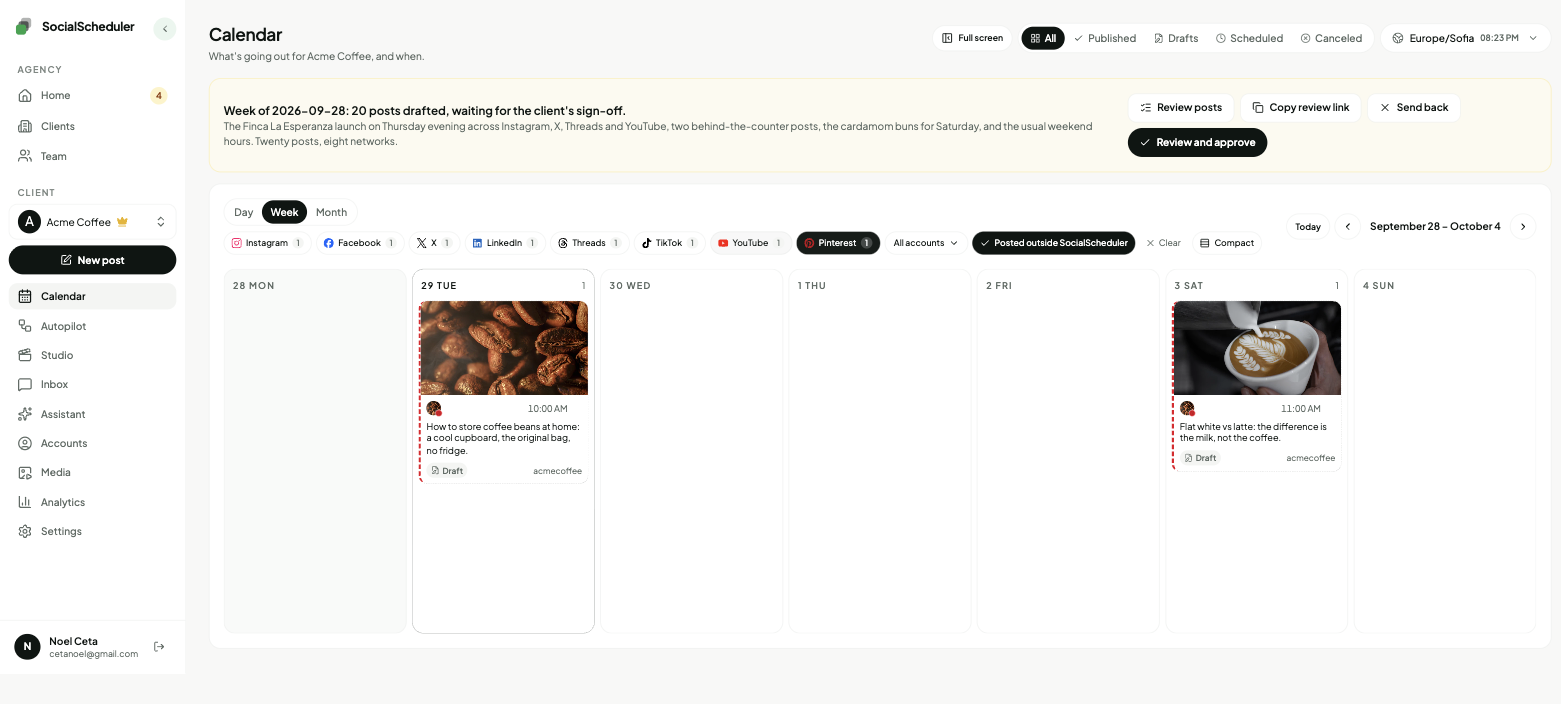
Planned Sunday. Waiting for approval.
- Tue10:30Image pinPour-over coffee at home: a five-step guide
- Wed12:00Image pinThree autumn pastries that go with a medium roast
- Thu11:00Image pinCold brew concentrate recipe for a week of iced coffee
You choose who says yes.
Per client. Change it any time. Your team can pull any Pinterest post until it goes out.
Agency reviews
DefaultYour team approves the week in the app. Nothing goes out before.
Client signs off
Most usedThe client gets an email link. They approve or comment. No login.
Review link · no login needed
Dana (Acme) · approved Mon 10:12
Full autopilot
For trusted clientsNo approval step. It plans and posts. Everyone gets a Monday report.
Client report every Monday, 9:00
Pause any time, pull any post
Why Pinterest works like a search engine
People open Pinterest to plan: a kitchen, a wedding, dinner this week, a gift. They type what they want and save what helps. That makes Pinterest closer to a visual search engine than a social feed. Pinterest reported 640 million monthly active users in its second-quarter 2026 results (August 4, 2026).
Because pins are found through search, a good pin keeps getting saves and clicks for months, long after an Instagram post has scrolled away. The traffic comes from long-tail searches, specific phrases like "cold brew concentrate ratio" rather than "coffee". For an agency, that means Pinterest rewards steady, well-described pins that match what the client's buyers search for, and it sends people to the client's website.
What goes into a pin
A pin has five parts, and each one helps it get found and clicked. SocialScheduler fills all five before the pin is scheduled.
- Image: a JPEG or PNG. Pinterest recommends a 2:3 ratio, 1000 x 1500 pixels. We use the client's photo, or a branded 4:5 card (quote, tip, stat or announcement) in their colors.
- Title: up to 100 characters. Feeds may show only the first 40, so the keyword comes first.
- Description: Pinterest allows 800 characters. We write up to 500, plain sentences with the words people search.
- Link: the client's destination page, so a save can turn into a visit.
- Board: the board you choose, so the pin sits next to related ones.
The agency workflow on Pinterest
Each client starts with a brief: what they sell, who buys, the words they use and the ones they avoid. You connect the client's Pinterest account, pick the board and set the destination link once.
On Sunday the AI plans the client's week across every network they use. For Pinterest it writes a title and description for search, not a copy of the Instagram caption. You choose who approves, per client: your team in the app, the client from an email link with no login, or autopilot for clients you trust. Every Monday the client gets a report under your agency's name. Pinterest saves and comments come back into the next week's plan.
The best time to post on Pinterest, and how often
Sprout Social's 2026 data (nearly 2 billion engagements across about 307,000 profiles, November 2025 to February 2026) puts the best window at 10 a.m. to 1 p.m. on Tuesday, Wednesday and Thursday, local time, with weekends the weakest. Other studies point to evenings. Timing matters less on Pinterest than on X, because pins are found through search for months.
Consistency matters more. A few fresh pins every week beat a batch of fifty once a quarter. SocialScheduler starts each client on the common window, then moves pins toward the hours when that client's own pins get saves.
Pinterest API access and the free plan
Pinterest gives new API apps Trial access. On Trial access, pins created through the app are sandbox pins that only their creator can see. Standard access, which publishes to any connected account, needs a separate review. We requested Standard access and it is pending as of September 2026. Until Pinterest grants it, pinning to client accounts through SocialScheduler is not live.
The free plan covers one client and three accounts, with 20 AI credits a month; a planned week uses 10. Publishing never costs credits. Business is $49 a month for five clients and Agency is $149 a month for fifteen, with 20% off yearly.
One plan, every network.
Each client's week is written once, then sized for every network they are on.
- Pinterest schedulerThis page
- Instagram scheduler
- Facebook scheduler
- YouTube scheduler
- TikTok scheduler
- X scheduler
- Threads scheduler
- LinkedIn scheduler
- Bluesky scheduler
- Mastodon scheduler
- Telegram scheduler
- Discord scheduler
- Slack scheduler
Also publishes to Reddit, Google Business Profile, Dev.to, Hashnode, WordPress, ListMonk and Lemmy.
Pinterest questions, answered.
Yes. Pinterest's own scheduler is free and lets you have up to 10 pins scheduled, up to 30 days ahead, one pin at a time. A scheduler like SocialScheduler plans and queues pins for several clients at once.
Pinterest's help center says up to 10 scheduled pins at a time, each up to 30 days in advance. Older guides quote 30 or 100 pins; those limits are out of date.
Look for one workspace per client, client approval without a login and a report per client. Tailwind is the Pinterest specialist priced per account; SocialScheduler plans Pinterest together with a client's other networks and adds approval links and Monday reports.
Pinterest's built-in scheduler is free. SocialScheduler's free plan covers one client with up to three accounts and 20 AI credits a month, enough for two planned weeks.
Sprout Social's 2026 data points to 10 a.m. to 1 p.m. on Tuesday to Thursday, in the audience's local time. SocialScheduler starts there, then moves to the hours each client's pins get saves.
A steady rhythm works better than bursts. A few fresh pins a week, every week, keeps a board growing in search.
Pinterest recommends a 2:3 image, 1000 x 1500 pixels, as JPEG or PNG. SocialScheduler posts the client's photo as is, or a branded 4:5 card, which Pinterest also accepts.
No. SocialScheduler publishes image pins with one image each. Idea Pins no longer exist as a separate format: Pinterest merged them into standard pins in 2023.
For agencies that run Pinterest alongside Instagram, Facebook and other networks, yes. Tailwind goes deeper on Pinterest itself, with keyword research and pin creation, and prices each Pinterest account separately.
Not yet. Our Pinterest Standard access request is pending as of September 2026. Until Pinterest approves it, pins published through our app stay sandbox pins visible only to their creator.
Yes. SocialScheduler only uses official APIs. No browser automation, no shared passwords.
Yes. The client gets an email link with the week and can approve, comment or ask for a change. No login. Or your team approves, or you turn on autopilot for clients you trust.
Facts on this page reviewed
Start with one client.
Ten minutes to set up. The first week is planned right away.