The TikTok scheduler that plans, makes and posts every client's videos.
SocialScheduler plans each client's TikTok week, writes the captions and makes vertical videos with captions and a voiceover. It posts them through TikTok's official API at the hour their viewers are online.
SocialScheduler is a TikTok scheduler for agencies. It plans each client's week, writes the caption, can make a vertical video with captions and a voiceover, and posts it through TikTok's official Content Posting API at the hour the audience is online. TikTok's own scheduler works on desktop only and 15 minutes to 10 days ahead, one account at a time. Here every client sits in one calendar and the free plan covers one client.
Free for one client. No credit card.
TikTok scheduling at a glance
- TikTok's own scheduler
- Desktop only (TikTok Studio), 15 minutes to 10 days ahead
- Caption length
- 4,000 characters in the TikTok app; 2,200 through the API, which is what schedulers use
- Hashtags
- Up to 5 per post since August 2025
- Video length
- Up to 10 minutes recorded in the app, up to 60 minutes uploaded; API posts follow each account's own maximum
- Best time to post
- Tue to Thu, 2 to 6 p.m. local (Sprout Social, March 2026); Buffer (September 2026) found evenings and Sunday 9 a.m. strongest
- What SocialScheduler posts
- Video posts by direct post. No photo carousels, no TikTok inbox
- Price
- Free for 1 client and 3 accounts; Business $49/month; Agency $149/month
- Reviewed
- September 29, 2026
Every TikTok format your clients use.
Planned on Sunday with the rest of the week. Written in the client's voice. Designed in their brand.
Video posts
Posted to the account by direct post through TikTok's official API.
AI short videos
Vertical, 60 seconds or less, with on-screen captions and a voiceover.
Captions
Written in the client's voice and kept short, well under the 2,200-character API limit.
Post settings
Privacy, comments, duets and stitches, chosen and confirmed per post.
How the AI writes for TikTok.
The limits and habits of the network are built in. Every post is checked against them before it is scheduled.
- Captions kept short, under 2,200 characters
- Vertical clips of 60 seconds or less
- Privacy, comments, duet and stitch per post
- AI-generated label on AI-made video
- Each post previewed and confirmed
- Posted at the client's best hour
Planned Sunday. Waiting for approval.
- Tue19:00VideoNine days off roast. Watch the crema.
- Thu12:30VideoOur barista rates your coffee orders.
- Sat10:00VideoDial in a grinder in 60 seconds.
You choose who says yes.
Per client. Change it any time. Your team can pull any TikTok post until it goes out.
Agency reviews
DefaultYour team approves the week in the app. Nothing goes out before.
Client signs off
Most usedThe client gets an email link. They approve or comment. No login.
Review link · no login needed
Dana (Acme) · approved Mon 10:12
Full autopilot
For trusted clientsNo approval step. It plans and posts. Everyone gets a Monday report.
Client report every Monday, 9:00
Pause any time, pull any post
TikTok's native scheduler or a third-party TikTok scheduler
TikTok has a free scheduler in TikTok Studio. You upload a video in a desktop browser, turn on Schedule and pick a time between 15 minutes and 10 days ahead. It does not work in the mobile app, and it holds one account at a time.
That is enough for one creator who films every few days. It gets tight for an agency. Each client needs its own login, nothing can be queued past day 10, and there is no approval step or report. A third-party TikTok scheduler posts through TikTok's Content Posting API instead, so one calendar can hold every client's videos for weeks.
- Native: free, desktop only, 10 days ahead, one account per login
- SocialScheduler: every client in one calendar, planned weekly, client approval by link, Monday report
How TikTok's API rules shape each post
TikTok sets strict rules for apps that post for you. Every app is reviewed, and posts from apps that have not passed TikTok's audit can only be private. Before each post, the person posting must see a preview and choose who can watch it. Comments, duets and stitches start switched off and are turned on by choice. Branded content has to be disclosed.
SocialScheduler follows these rules. Each TikTok post shows a preview with its privacy, comment, duet and stitch settings, and someone on your team confirms it before it is scheduled. When the video is AI-made, the AI-generated content label is set for you. An update to our TikTok app is in TikTok's review as of September 2026.
The agency workflow for TikTok
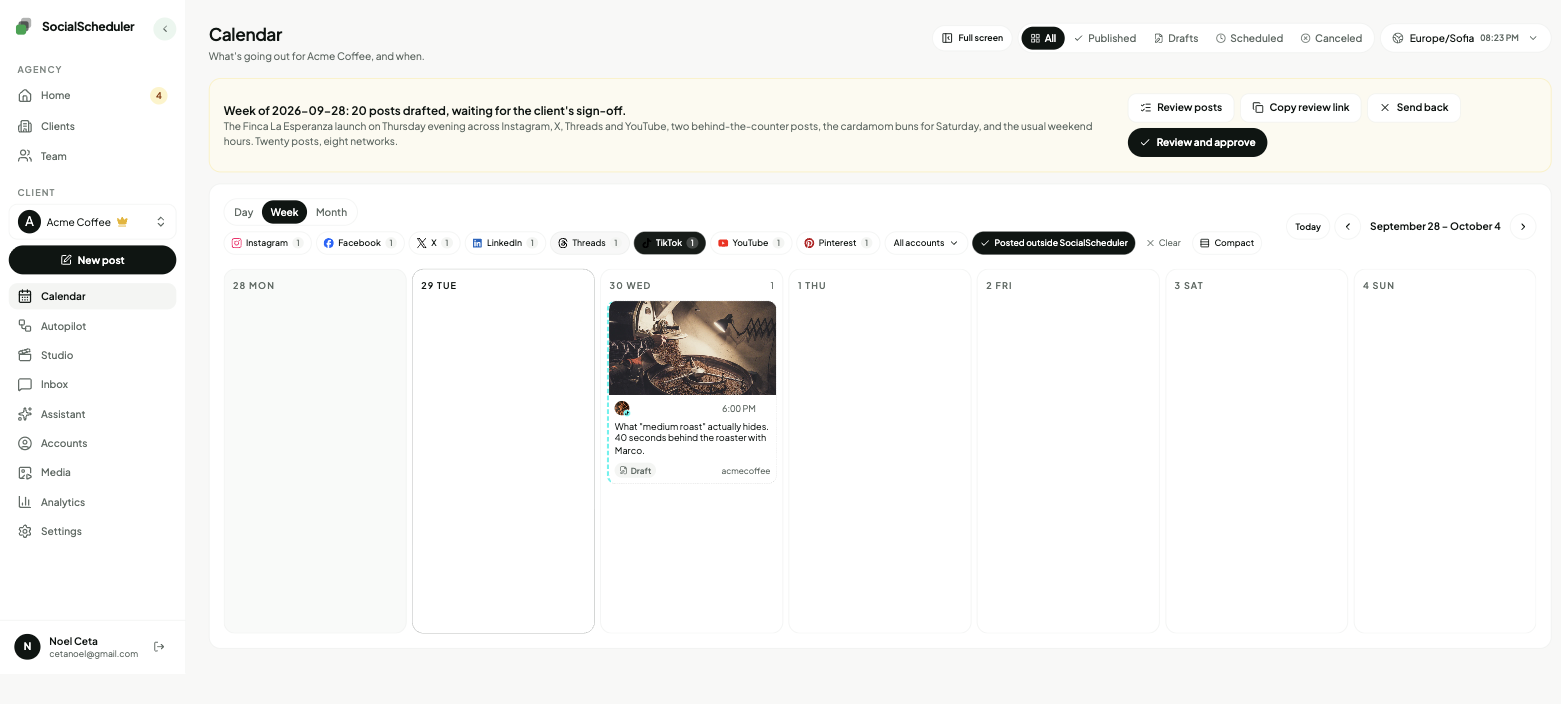
Each client starts with a brief: voice, offers, audience and topics to avoid. Every Sunday the AI plans the week across the client's networks, TikTok included, and writes each caption in the client's voice.
The client gets an email link to the week. They can approve, comment or ask for a change without a login. Your team then confirms each TikTok post, as TikTok requires, and it goes out at the client's best hour. Autopilot covers the planning and the other networks, but TikTok posts still wait for that confirmation. On Monday the client gets a report under your agency's name.
Vertical short videos, made for TikTok
TikTok is a video network, so every post needs a clip. SocialScheduler uses footage the client has approved in the media library, or makes a vertical short video with on-screen captions and a voiceover. TikTok clips stay at 60 seconds or less, and each one is checked against the account's own length limit before it posts.
The same clip can go to the client's Instagram and Facebook from the same plan. TikTok photo carousels (Photo Mode, up to 35 images) are not supported. SocialScheduler posts video only on TikTok. Sounds from TikTok's music library cannot be added through the API, so each video carries its own voiceover or audio.
The best time to post on TikTok
Studies disagree, which is the useful finding. Sprout Social's 2026 data, from about 2 billion engagements, puts the peak at Tuesday to Thursday between 2 and 6 p.m. local time, with Sunday the weakest day. Buffer's September 2026 study of 7.1 million posts found evenings from 6 to 11 p.m. strongest and Sunday at 9 a.m. the single best slot.
A general chart is a starting point. SocialScheduler posts at the hours each client's own audience is online and moves the times as the results come in. Keep captions short and stick to five hashtags or fewer, since TikTok only counts five per post since August 2025.
Is there a free TikTok scheduler?
TikTok Studio's scheduler is free. SocialScheduler also has a free plan: 1 client, 3 connected accounts and 20 AI credits a month. A planned week costs 10 credits, so the free plan covers two planned weeks a month. Publishing never costs credits.
Agencies with more clients move to Business at $49 a month (5 clients, 15 accounts, 400 credits) or Agency at $149 a month (15 clients, 60 accounts, 1,200 credits). Yearly billing is 20% off, and credit packs cover a busy month without changing plans.
One plan, every network.
Each client's week is written once, then sized for every network they are on.
- TikTok schedulerThis page
- Instagram scheduler
- YouTube scheduler
- X scheduler
- Threads scheduler
- Facebook scheduler
- LinkedIn scheduler
- Pinterest scheduler
- Bluesky scheduler
- Mastodon scheduler
- Telegram scheduler
- Discord scheduler
- Slack scheduler
Also publishes to Reddit, Google Business Profile, Dev.to, Hashnode, WordPress, ListMonk and Lemmy.
TikTok questions, answered.
Yes. TikTok Studio lets you schedule a video from a desktop browser 15 minutes to 10 days ahead. A scheduler like SocialScheduler posts through TikTok's official API, so you can plan further ahead and keep every client in one calendar.
TikTok's scheduler only works in TikTok Studio on a desktop browser, not in the mobile app. The time also has to fall between 15 minutes and 10 days from now.
TikTok Studio's scheduler is free. SocialScheduler's free plan covers 1 client, 3 accounts and 20 AI credits a month, and publishing never costs credits.
Yes. It uses TikTok's direct post, so nobody has to finish the post in the app. Someone on your team confirms each post's preview and settings first, because TikTok requires it.
Yes. It makes a vertical short video with on-screen captions and a voiceover, 60 seconds or less. It can also use footage the client has approved in the media library.
No. SocialScheduler posts video only on TikTok. Photo carousels are supported on Instagram and Threads, and PDF documents on LinkedIn.
Sprout Social's 2026 data points to Tuesday to Thursday, 2 to 6 p.m. local time, while Buffer's September 2026 study favors evenings. SocialScheduler posts at the hours each client's own audience is online.
Five. Since August 2025 TikTok only counts the first five hashtags in a caption.
Yes. Each post has its own privacy, comment, duet and stitch settings. When the video is AI-made, TikTok's AI-generated content label is set for you.
No. The inbox covers Instagram, Facebook, Threads, X, YouTube and Bluesky. TikTok comments are answered in the TikTok app.
Yes. The client gets an email link with the week and can approve, comment or ask for a change. No login. Or your team approves, or you turn on autopilot for clients you trust.
Yes. SocialScheduler only uses official APIs. No browser automation, no shared passwords.
Facts on this page reviewed
Start with one client.
Ten minutes to set up. The first week is planned right away.